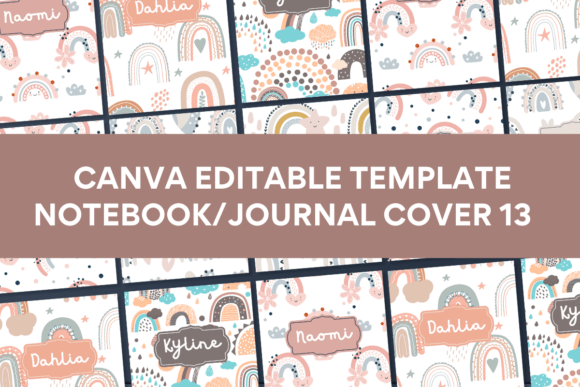
Canva Template Notebook/Journal Cover13: Your Shortcut to Standout Designs
Let's be honest: starting a new design project from scratch, especially something as personal as a notebook or journal cover, can feel daunting. You want something that looks professional, unique, and truly reflects the personality of the project or brand. That's precisely where a well-crafted template like Canva Template Notebook/Journal Cover13 comes into play. It's not just a pre-made graphic; it's a foundational design asset that bridges the gap between a blank canvas and a polished, market-ready product.
Understanding the Design's Personality
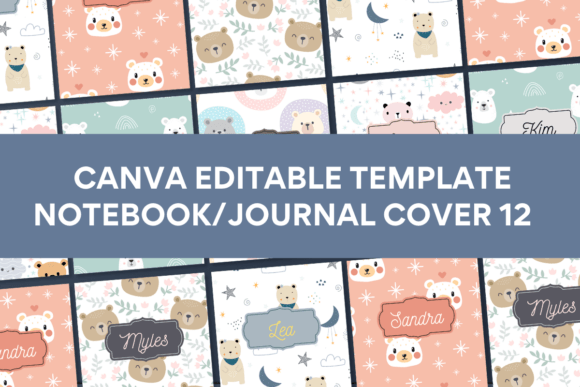
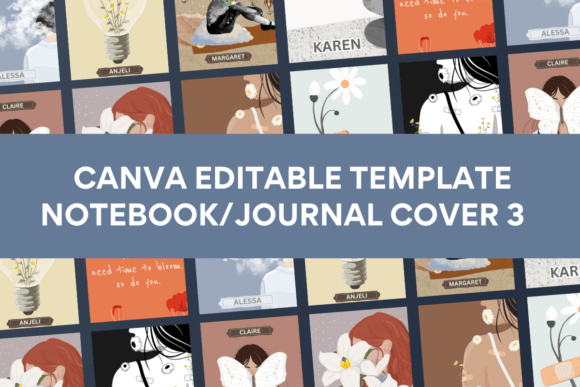
The visual character of Cover13 is its strongest selling point. It carries a distinct aesthetic that avoids the generic look of many stock templates. The design elements, illustrations, and backgrounds are intentionally sourced outside of Canva's standard library. This means when you use this template, you're starting with a visual foundation that isn't already circulating everywhere online. The style leans towards a modern, clean, and slightly artistic feel, making it versatile enough for various themes—from minimalist planners to creative writing journals. It has a professional polish that elevates a project instantly, yet it's approachable enough for a beginner to customize confidently.
Where This Template Truly Shines
The real-world applications for a template like this are extensive, especially for those in the print-on-demand space or running a small creative business. Think beyond just personal journals. This template is ideal for creating branded workbooks for online courses, custom planners for clients, elegant guest books for events, or unique product packaging inserts. For small business owners, it offers a quick way to produce consistent brand collateral. A blogger could use it to design a companion journal for their audience, while a coach might create a signature client notebook. The 8x11 inch size is a standard, print-friendly dimension, making the jump from digital design to physical product seamless.
Practical Guidance for Customization and Use
Getting started is straightforward, which is a major advantage for starters. The package includes a PDF with a direct link to the Canva template and clear instructions. You do not need a Canva Pro account; the free plan works perfectly. Once you open the link, the true value of the template unfolds. You have ten different front cover designs to choose from, giving you immediate variety.
Here’s how to approach it like a pro:
- Evaluate the Fit: Before diving in, consider the project's goal. Is it for a corporate workshop? A whimsical children's activity book? The template's style should align with the content's tone. Cover13's versatility makes it adaptable, but a quick assessment ensures cohesion.
- Customize with Purpose: Swap out placeholder text with your title and subtitle. Change the color palette to match your brand identity using Canva's color picker or by entering your hex codes. Replace any placeholder imagery with your own photos or illustrations, or explore Canva's library for alternatives that fit your vision.
- Test Font Pairings: The template likely uses a combination of serif and sans-serif fonts. When you customize, maintain this hierarchy. Use the display or script font for the main title to grab attention, and a clean sans-serif for the subtitle or author name to ensure readability. This creates a strong visual hierarchy.
- Consider the Back Cover: While the template focuses on the front, remember the entire package. Use the design's style as a springboard to create a complementary back cover in Canva, perhaps using a simpler version of the color scheme or a related illustration.
The mobile editing capability is a game-changer for busy entrepreneurs. You can tweak designs, approve proofs, or make last-minute changes directly from your phone, which is invaluable for those managing projects on the go.
Making the Most of Your Design Asset
To leverage this template effectively, think of it as a starting point for a larger brand identity system. The consistent style across the ten designs can inspire a cohesive look for social media graphics, marketing materials, or even website banners. For commercial use, this consistency builds brand recognition and professionalism.
When it comes to readability, especially for the interior pages you'll design separately, ensure the cover's typography doesn't set a conflicting tone. The cover's creative font choices are for impact; interior text should prioritize clarity. Always export a test print or a high-resolution digital proof to check how colors and details reproduce. The template's unique elements mean your final product will have a distinct design edge, helping it stand out in a crowded marketplace, whether it's on a shelf in an Etsy shop or as a digital download on your website.
In essence, Canva Template Notebook/Journal Cover13 provides the professional framework and unique visual style that many beginners and busy professionals lack the time or skill to create from zero. It’s a practical tool that empowers you to produce polished, marketable designs efficiently, allowing you to focus on your content and your business.