Groovy Mama Retro Canva Frame Template: Vintage Vibe for Modern Creators
There's something magnetic about a design that feels both familiar and fresh. The Groovy Mama Retro Canva Frame Template captures that exact energy—channeling the bold, expressive aesthetics of the 1970s while staying completely practical for today's digital creators. This isn't just another decorative border. It's a fully editable Canva template built to give your projects instant personality without requiring advanced design skills.
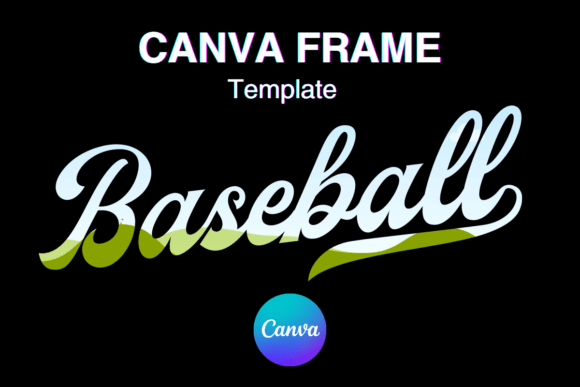
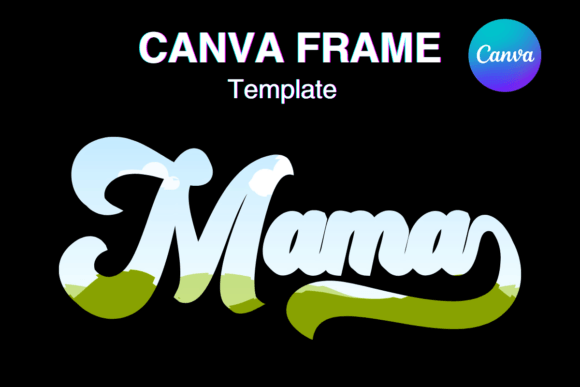
Before diving deeper, let's clarify what you're actually getting. This is a digital file only—no physical product ships to your door. Once purchased, you receive a single PDF containing a direct link to one custom-made Canva frame template. The template arrives at a 12×12 inch paper size, designed with a transparent layer that plays nicely with vinyl sublimation workflows. It's not a PNG or SVG file. It's an editable Canva template, meaning you open it in Canva, drag and drop your content, and customize everything to fit your vision.
What Makes This Retro Frame Stand Out
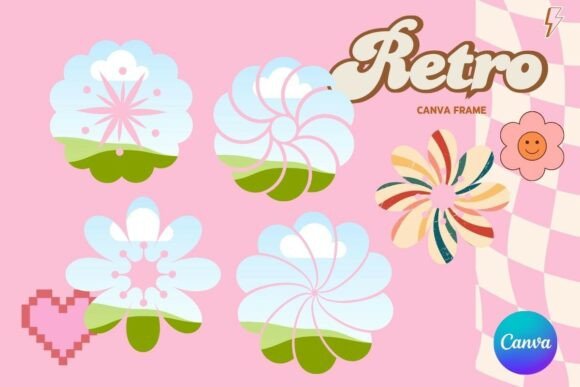
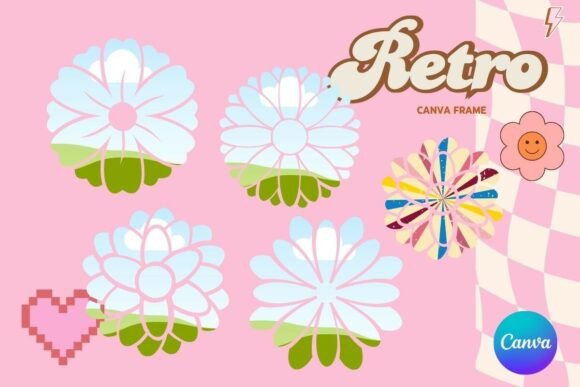
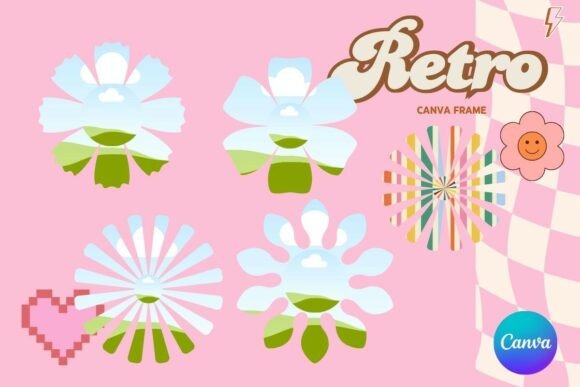
The Groovy Mama Retro Canva Frame Template leans into a distinct visual language. Think warm, saturated color palettes. Rounded organic shapes. Psychedelic curves and bold typographic energy that recalls vintage concert posters, old-school magazine layouts, and the kind of graphic design that dominated the counterculture era. The personality here is confident, playful, and unapologetically expressive—it doesn't whisper, it announces.
What makes this particular creative font frame template versatile is how it balances nostalgia with usability. Retro design can easily tip into parody or feel dated. This template sidesteps that trap by keeping the composition clean and the editable elements flexible. You're working with a structure that supports your content rather than overwhelming it. The transparent layer means your images, text, and branding elements sit naturally within the frame without awkward clipping or background conflicts.
Where This Template Shines Across Projects
The applications for a retro-styled Canva frame stretch further than most people initially consider. Here's where the Groovy Mama Retro Canva Frame Template earns its place in a creator's toolkit:
- Social media graphics — Instagram posts, Facebook covers, Pinterest pins, and story templates all benefit from distinctive framing. Retro aesthetics perform particularly well in lifestyle, wellness, parenting, and food niches where warmth and authenticity resonate with audiences.
- Branding and logo design presentations — If you're a designer pitching a brand identity concept with vintage roots, this frame adds context and mood to mockups. It helps clients visualize the aesthetic direction before committing.
- Packaging design — Artisan products, handmade goods, specialty foods, and boutique cosmetics often lean into retro branding. This template gives you a head start on visual concepts for labels, tags, and box inserts.
- Editorial design — Magazine layouts, blog post headers, newsletter graphics, and digital zines can use the frame to create consistent visual sections that guide the reader's eye.
- Print-on-demand and sublimation — The transparent layer and 12×12 inch dimensions make this template practical for physical products. Wall art, greeting cards, planner inserts, and custom stationery projects all work within this framework.
- Event promotions — Baby showers, milestone birthdays, themed parties, and community events with a retro or boho vibe pair naturally with this aesthetic.
Working Smarter Inside Canva
One of the practical strengths of the Groovy Mama Retro Canva Frame Template is how it removes friction from the design process. You don't need Photoshop. You don't need Illustrator. You open the link in Canva—free or Pro account both work—and you're immediately working inside a familiar drag-and-drop environment.
The 12×12 inch size gives you a square canvas that adapts well across platforms. Need it smaller for a social post? Scale it down. Want to print it larger for a poster? Canva handles resizing, though keeping the proportions consistent preserves the frame's intended proportions. This flexibility matters when you're managing multiple deliverables from a single design asset.
For those working with sublimation or vinyl projects, the transparent layer is essential. It means the frame integrates cleanly with your base material without requiring manual background removal. You drop your image underneath, position the frame on top, and export a production-ready file. That workflow saves significant time compared to manually building retro frames from scratch.
Making the Template Work for Your Brand
A retro frame only works if it aligns with your broader brand identity. Here's honest guidance on evaluating fit. If your brand voice is sleek, minimalist, and corporate—this probably isn't your match. But if your audience responds to warmth, nostalgia, personality, and handcrafted energy, the Groovy Mama Retro Canva Frame Template slots in naturally.
Consider your existing design assets. Do your current fonts, color palettes, and imagery share any retro DNA? Even a subtle connection—a warm color here, a rounded typeface there—gives you enough to build visual cohesion. Pairing this frame with a complementary display font or handwritten font strengthens the aesthetic without competing for attention.
Test the template with your actual content before committing it across an entire campaign. Drop in a real photograph, your actual text, and your brand colors. Does the frame enhance the message or distract from it? That five-minute test tells you more than any product description ever could.
Practical Considerations Before You Buy
A few things worth noting as you evaluate this template for your projects:
- This is a single template — You're receiving one frame design, not a bundle. Plan your purchase around specific project needs rather than expecting multiple variations.
- Canva account required — You'll need access to Canva to use this file. The free tier works, though Canva Pro unlocks additional features like resizing tools and extended element libraries.
- Commercial use potential — If you're creating products for sale, confirm the licensing terms align with your intended use. Most template creators allow commercial application of final designs, but it's worth verifying before producing inventory.
- Font and element customization — Inside Canva, you can swap colors, adjust sizing, and replace placeholder elements. This means the retro frame adapts to different projects even though you're starting from one base template.
- File format clarity — To reiterate, this is not a PNG, SVG, or downloadable graphic file you import into other software. It's a Canva-native editable template accessed through the provided PDF link.
Bringing Retro Into the Present
The best modern typography and design work often pulls from the past without being trapped by it. The Groovy Mama Retro Canva Frame Template gives you a starting point that's already been thoughtfully designed—you bring the content, the message, and the creative direction that makes it yours.
Whether you're building out a social media graphics series, developing packaging design concepts for a small business, or creating printable art for an online shop, having a reliable frame template eliminates one more decision from your creative process. You spend less time building structure and more time refining the ideas that actually matter.
That's the real value of a well-made design asset. It doesn't do the creative thinking for you—it clears the path so your thinking comes through more clearly.