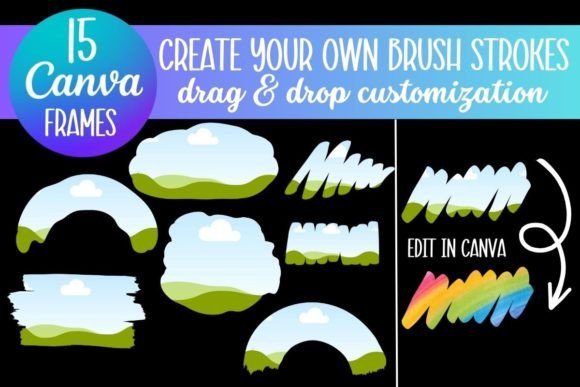
Mastering Brush Strokes: A Canva Frame Template Guide
When you are building a visual identity or creating content for a blog, the difference between a flat image and a compelling piece of art often comes down to texture. The Brush Strokes Canva Frame Template offers exactly that: a way to inject organic, artistic energy into your digital projects without needing to pick up a physical paintbrush. This collection of design assets is engineered for the modern creator—someone who needs high-quality visuals but operates within the fast-paced environment of digital marketing and publishing.
Unlike static stock photos, these frames provide a dynamic container for your imagery. They function as a bridge between raw photography and polished graphic design. The visual character of these templates is defined by their irregular, hand-painted edges. They mimic the look of traditional acrylic or watercolor strokes, offering a "human touch" that is increasingly rare in an era of algorithmic perfection. For the designer or entrepreneur, this means you can soften the corporate edges of a brand or add a layer of sophistication to a personal project instantly.
The Anatomy of the Brush Strokes Aesthetic
Understanding the visual personality of the Brush Strokes Canva Frame Template is key to using it effectively. These are not rigid geometric shapes. They are fluid, expressive forms that bring a sense of movement to your layout. The appeal lies in their imperfection; the splatters and varying opacity of the strokes create a background that feels authentic and artistic.
This style aligns perfectly with current trends in modern typography and editorial design. We are seeing a shift away from sterile, ultra-minimalist layouts toward designs that embrace warmth and texture. Whether you are working with a handwritten font for a cozy lifestyle brand or a bold sans serif font for a tech startup, these brush stroke frames can act as a grounding element. They draw the eye without overwhelming the subject, creating a focal point that guides the viewer’s attention exactly where you want it.
Strategic Applications for Brands and Creators
The versatility of these frames makes them an essential part of a robust set of design assets. For the small business owner, the application is practical and immediate. Consider your social media graphics. In a crowded feed, a standard rectangular photo often gets scrolled past. However, placing that same photo inside a textured brush stroke frame breaks the visual monotony. It signals to the viewer that there is creative intent behind the post, which can significantly improve engagement rates.
For those involved in packaging design or logo design, these templates offer a way to mock up concepts quickly. You can use the brush strokes to create a "badge" effect or to frame a product name, adding a layer of tactile realism to digital proofs. If you are a blogger or publisher, these frames are invaluable for creating featured images that feel bespoke. Instead of generic headers, you can craft a cohesive series of images that strengthen your site's visual hierarchy and brand recognition.
Practical Guide: Customization and Workflow
One of the strongest selling points of the Brush Strokes Canva Frame Template is the frictionless workflow. You do not need advanced skills in Adobe Photoshop to achieve professional results. The process is built around the "drag and drop" functionality of Canva, making it accessible to hobbyists and professionals alike.
Here is how to integrate these assets into your workflow:
- Access and Setup: Upon purchase, you receive an instant download containing a PDF link. This link directs you to the Canva template interface.
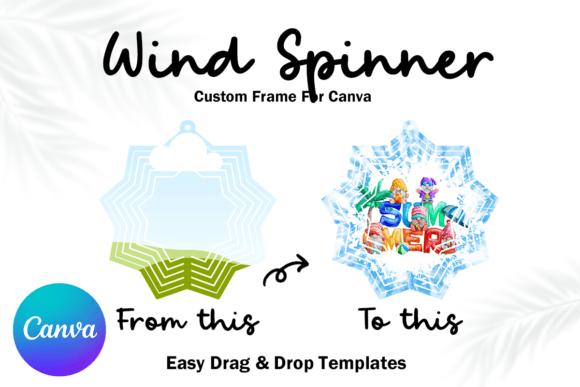
- Image Integration: Upload your high-resolution images to Canva. You simply drag your photo over the frame and drop it. Canva automatically clips the image to fit the brush stroke shape.
- Customization: You can resize the frames to fit various aspect ratios, whether you are creating a Pinterest pin, an Instagram story, or a web banner.
- Exporting: While a free Canva account works for standard usage, a PRO account allows you to download the design with a transparent background. This is crucial if you plan to use the framed image over a complex background in another software.
Evaluating Fit and Font Pairings
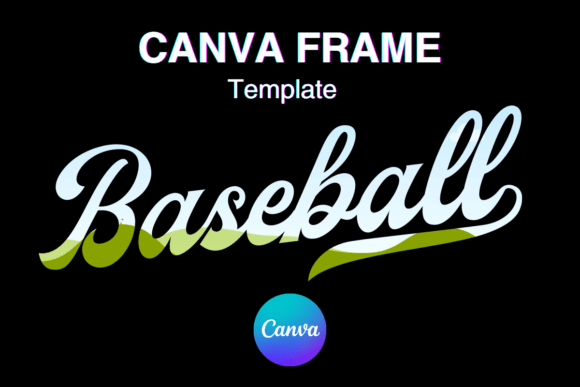
To get the most out of these templates, you need to consider how they interact with your typography. The organic nature of the brush strokes pairs beautifully with specific font families. For example, if you are aiming for a luxurious or feminine aesthetic, pairing a frame with a script font creates a sense of elegance and flow. The curves of the lettering can echo the curves of the paint strokes.
Conversely, for a more modern, editorial look, contrast is your friend. Try placing a bold, heavy serif font or a clean sans serif font over or near the brush strokes. The stark difference between the rigid typeface and the organic frame creates visual tension that looks professional and intentional. This technique is often used in high-end magazine layouts to balance artistic flair with readability.
Commercial Use and Brand Consistency
For the entrepreneur, the commercial viability of design assets is a primary concern. The Brush Strokes Canva Frame Template is designed for commercial use, meaning you can use the finished designs in products you sell, client work, and marketing materials. This makes it a cost-effective investment for those who need to produce high volumes of content.
However, maintaining brand identity requires consistency. When using these frames, choose a specific style within the pack and stick to it. If your brand relies on energetic, messy strokes, do not suddenly switch to thin, delicate watercolor lines for your next campaign. Consistency in your visual assets builds trust with your audience. It creates a subconscious recognition—when they see that specific frame style, they know it is your content before they even read the text.
Ultimately, the Brush Strokes Canva Frame Template is more than just a decorative element. It is a tool for visual storytelling. It allows you to control the mood of your design, soften the digital harshness of the web, and present your imagery with an artistic flair that resonates with a human audience. Whether you are a student, a teacher, or a seasoned marketer, these templates provide the flexibility to create professional-grade visuals that stand out in a saturated market.