Organize Your Face Mask Business with This Editable Canva Template
Running a small business selling custom face masks or other handmade goods requires more than just creativity—it demands organization. Keeping track of orders, inventory, expenses, and customer details can quickly become overwhelming, especially when you're also focused on production and marketing. That's where a dedicated system becomes invaluable. The Editable Face Mask Order Form Canva Template is designed to provide that structure, offering a comprehensive suite of business management tools all within one accessible, customizable package.
A Complete Business Management Toolkit
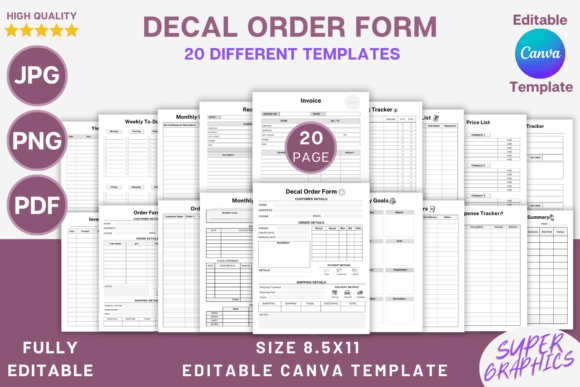
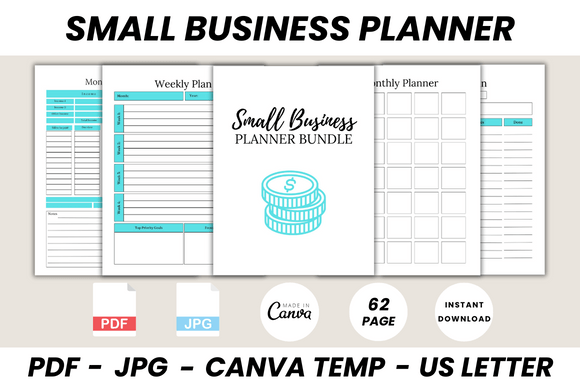
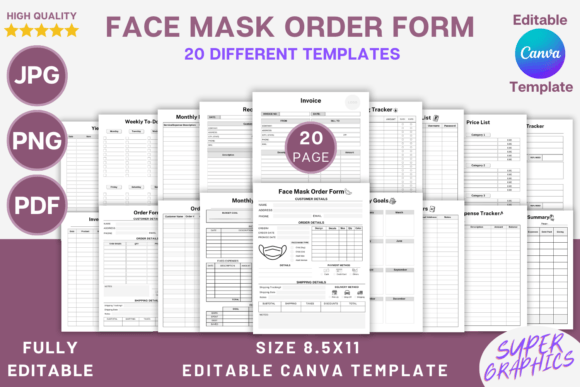
This isn't just a single order form. It's a full business tracker system built to support the specific needs of entrepreneurs in the custom apparel and accessories space. The collection includes 20 distinct templates, each serving a critical function. You'll find dedicated sheets for managing your Customers, a Resource List for your suppliers and materials, and multiple Price List options to display your offerings clearly. For goal-setting and daily operations, the Monthly Goals and Weekly To Do List templates help you stay focused.
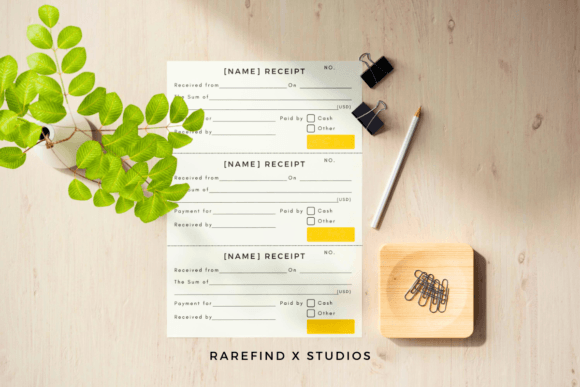
The core of the system lies in its tracking capabilities. The Order Tracker and specific Face Mask Order Form allow you to log every sale with precision. Financial management is covered with an Expense Tracker, Monthly Expense Tracker, Monthly Budget, Spending Tracker, and a Financial Summary to get a clear picture of your business health. Operational templates like the Inventory Sheet, Return Tracker, and Yield Tracker help you manage stock and understand your production efficiency. Finally, professional Invoice and Receipt templates, along with a Notes section, round out the package, ensuring you have every document needed to run a polished operation.
Designed for Flexibility and Professionalism
The true power of this template lies in its complete editability within Canva. You are not locked into a static PDF. Every single element can be customized to align with your brand identity. Change fonts to match your logo, adjust colors to your brand palette, and resize text to create the perfect visual hierarchy. You can add your own logo, insert decorative elements that reflect your style, or even add lines and checkboxes where you need them. This level of control transforms a generic template into a personalized extension of your business, enhancing brand recognition and presenting a consistently professional image to your clients.
Visually, the templates are designed with clarity and functionality in mind. They utilize clean layouts and ample white space, which is crucial for readability in business documents. The use of a sans serif font for body text ensures that information is easy to scan and digest, a key consideration in editorial design and web design for business materials. The overall aesthetic is modern and professional, avoiding clutter so that the important data—the order details, the financial figures, the inventory counts—remains the focus. This thoughtful approach to modern typography and layout makes the documents not only functional but also pleasant to use and review.
Practical Applications Beyond Face Masks
While optimized for face mask orders, the utility of this editable system extends to a wide range of creative and commercial ventures. Any small business owner dealing with custom orders can benefit. Consider a crafter selling handmade jewelry, a baker taking custom cake orders, or a print-on-demand entrepreneur managing multiple designs. The Order Form and Inventory Sheet are universally applicable tools. The financial trackers are essential for any business, regardless of product.
For designers and marketers, the templates can serve as a starting point for creating client-facing documents. The Invoice and Receipt templates can be adapted for freelance services. The Price List templates could be repurposed for service menus or digital product catalogs. The ability to customize every aspect means you can ensure these documents become seamless components of your overall brand identity, reinforcing professionalism in every client interaction. This makes it a valuable design asset for streamlining administrative tasks.
Getting Started and Making It Your Own
Using the template is straightforward. After purchase, you receive a PDF with a direct link to the Canva template. Clicking that link will open the entire suite of 20 templates in your free Canva account, where you can begin editing immediately. The files are delivered in multiple formats: the editable Canva link, plus PDF, JPG, and PNG files of the templates as they are, sized at 8.5 x 11 inches at 300 DPI with no bleed—ready for high-quality printing.
For best results, take a moment to plan your customization. Before changing colors or fonts, gather your brand assets: your logo files, your specific color hex codes, and your preferred typefaces. If you don't have established brand fonts, consider pairing a clean sans serif font for the body with a complementary serif font or a subtle script font for headings to create visual interest without sacrificing clarity. Test your font pairing within the template to ensure it maintains the document's professional feel and readability.
Think about your workflow. You might use the Order Tracker as your master log, then use the specific Face Mask Order Form as a receipt you email to customers. The Inventory Sheet can be updated weekly, while the Financial Summary might be a monthly review task. By integrating these templates into your routine, you build a system that saves time, reduces errors, and projects the image of a well-run, trustworthy business. This practical organization is the foundation upon which sustainable creative businesses are built.